Saturday, May 30, 2015

What Commom Core CAN do for ELL Students


Alright, so Common Core has been a hot debate for all of us the last few years. I left a state (Tennessee) that had only just started to really implement the Common Core. They didn't know what they were doing, everything was out of whack, teachers hated it and parents and for those that didn't hate it? You wouldn't dare admit that or risk being ostracized by your fellow teachers. Now I live in California, a state that participated with the initial creation of Common Core through its involvement with SBAC. I would like to say that California has it together, but I cant. Not really anyway unless you compare them to Tennessee. But everyone is working hard to change this.

I liked the idea of Common Core but how it's being implemented simply blows my mind as a teacher and not in the awesome way I'd like to say it does. As a teacher I can no longer teach what needs to be learned but what Common Core states they MUST learn in order to pass a test. What you need to learn and what you must learn are not always the same things. Now, I will admit that as an ELL teacher I have a little more freedom. The standards are a little loose when it comes to ELL students since I don't think they want to risk pigeonholing the students in this particular area. Because let's face it...depending on their culture, their educational needs, their family background, etc. their needs are completely different from every other student, right? That was sarcasm in case you weren't sure. And that's my main issue with Common Core. Not everyone learns in the same way, not everyone can learn what you want them to learn in the space of a day, two days, a week, a month? I know we are pressed for time (thanks to all that testing) but this just isn't working for many students. My own daughter is in the GATE program for math and reading...but she is struggling in math due to the convoluted way Common Core tries to teach it's math concepts. She struggled for a week on a new concept in fractions...my husband was able to explain it to her in 10 minutes, using the way he learned to do it way back in the 80's and guess what? It worked, she was solving problems again left and right like it was no-bodies business but that's just it, it should be! Teachers should be able to have the freedom to say "Look...this part isn't working for us. I'm gonna try this instead." 

So, what do I like about Common Core?
I like how, for those students that it does work for...namely my ELL students...the structure gives my students something they can expect. Once they got used to how the system worked they knew what to expect and having this knowledge helped to ease them into the learning process. They knew that when they came into class we would have the same schedule everyday regardless, it looks something like this:

Monday - Thursday (on Fridays we focus on a Vocabulary exam and then some fun word games:
Morning greetings (I like to talk to my students about their day, it shows them that I care and encourages them to use their English)
Vocabulary review
Vocabulary sentence creation
Individual Close Reading - with particular attention paid to the vocabulary words for the week
Group Close Reading - were we could share our ideas
Discussion 
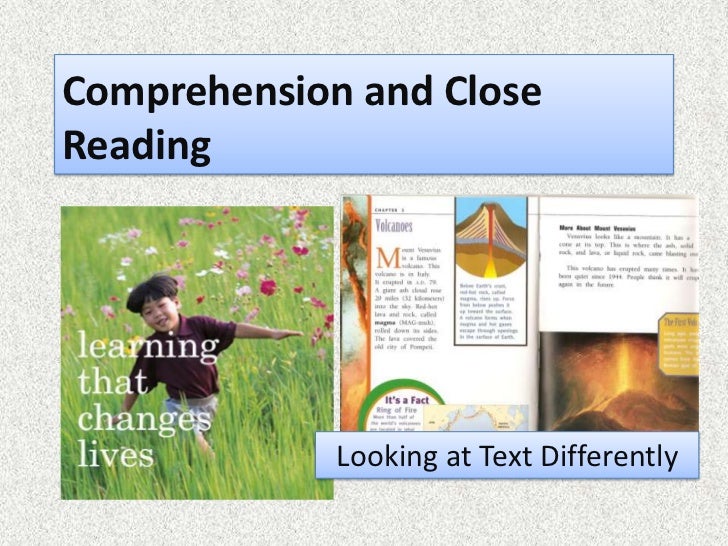
The part I would like to point out is the Close reading. I have found that Close readings works really well with my ELL students, especially when they are introduced to new words that they haven't encountered before or when using Close reading with academic materials such as Science, Math, and Social Studies.

So what is Close reading? It's just what is sounds like. An in depth reading of the same text that is repeated over and over till no more, or almost no more, meaning can be pulled from it. Close reading allows students the chance to study individual sections of a text in order to find it's deep meaning. What does the author want you take from this? How is this word used?

I can't say enough how much Close reading has helped my ELL students, this isn't a new strategy by far but the Common Core has really pushed for its use in classrooms today and they are working on some really exciting ways to encourage students to want to read more and, most importantly, be able to gain and retain new information. 


If you want to know more about ELL students and the Common Core, TESOL International has an excellent overview of the Common Core State Initiatives for ELL. They also have a treatise on the Changing Role of the ELL Teacher. In fact, an entire area of their website is now dedicated to this very issue: TESOL Connections - Common Core.


Other Resources -
Colorin Colorado - Common Core resources.
The vast array of links to the right of this article!

Thursday, May 14, 2015

Using Graphic Novels in the ELL Classroom, it can be done!

Yes, using a graphic novel in the ELL classroom appears to be counterproductive at first but I swear by it. Not only does it give your students a point of visual reference for what they are reading but it also has the added benefit of not only being a really cool thing to do in class but it also can encourage them to want to read even more!

This past year, in my 5th grade ELL class, we read the books Smile and Sisters by Raina Telgemeier. 


The great thing about these two books is that they are realistic fictions based on the authors life experiences, they provide dialogue that is true-to-life, and the illustrations are fresh and captivating. At first my students were 'iffy' about reading 'comics' in the class. One of them even expressed to me that she felt like she might get into trouble if anyone found out she was reading graphic novels when she should be "learning to use English better". I agreed, which is why we used these books to compare and contrast how people speak in 'real life' and how people are taught to speak. The way we learn to speak and the way we are taught to speak are two completely different things! For an ELL student this can be extremely confusing. But as we dove deeper into the story my students began to see what I meant. We also began to compare written text in novels, books, and graphic novels with how we speak. Some of my students where even able to point out that their YA novels, when compared to my adult oriented novels, used different language in order to capture the spirit of her readers. YA novels (and graphic novels especially) tend to use a lot of 'slang' words that are meant to help their younger readers better identify with the characters. I sometimes wonder how often a YA book editor has to look up a new word they haven't encountered before in order to be sure that it isn't an editing mistake!

However, I did remind my students that this sort of writing would not be acceptable in the classroom except when we are writing stories that would require this type of dialogue.  

By the end of the two weeks we spent reading each book, my students had developed a pretty healthy appreciation for how language can be used creatively. I found that using graphic novels was also a great took for improving not only literacy but also my students ability to edit sentences, make inferences (by recognizing 'unspoken emotions' through images alone and then being able to use language to describe their thoughts about the image), and to develop the ability to write an outline breaking down the story into a Plot Diagram.


They were also able to point out their own use of slang and began to appreciate when and where it should be used (no LOLs written in your term  papers, LOL :D) and on top of this, they couldn't wait to read more! So I encourage you to try out graphic novels in the class room. Here are some helpful links to how others have used graphic novels and also some research behind their use. Have fun!

Using Comics and Graphic Novels in the Classroom - National Council of Teachers of English
Teaching With Graphic Novels - School Library Journal
Using Comic with ESL/EFL Students - The Internet TESL Journal
Graphic Novel Resources for Educators - Get Graphic!


Monday, April 29, 2013

Podcasting: Taking advantage of listening media for ELLs

What is podcasting?
Podcasting, like screencasting, can be extremely useful for your blended learning classroom. They are relatively easy to make, fun to work with, and best of all they are portable for our 21st Century on-the-go learner! The main difference is that a podcast, unlike a screen cast, is purely vocal. There is not video or images included with the instruction. However this isn't a disadvantage as it can easily be used to supplement textbook or web-based learning. Especially in the area of listening practice in the case of ELL students.

How do I make it?
When making a podcast it is best to keep them short and to the point, most people recommend keeping it under 10 minutes if at all possible. This way your students wont grow bored. A vodcast tends to be a little more in depth and longer and usually cover more complicated subjects.

In order to create a podcast you will need a program similar to Audacity. It's pretty simple to use and you can save your files as MP3 or MP4s for easy storage on computers, jump-drives, iPads/iPods, or any other technology that you can upload it to and listen. Since it is easier to show than do, I created a very short Photostory presentation of how to get started with Podcasting using one of the Tennessee ELL education standards for listening and speaking
:
The music in the background is by Lindsey Stirling, it is called Elements.

I know this guide wasn't the most thorough but I truly believe that technology = hands on! The best way to learn is by doing so what are you waiting for? Get out there and start playing around with technology, that's what its there for!

>.<

Building Blocks: Making a website for your classroom


http://www.techwyse.com/blog/wp-content/uploads/2012/09/shutterstock_96960878.jpg
If your anything like me then you really have no idea how to make your own website, all that coding and computer language? Haven't the foggiest! For me, as long as the computer turns on does what it's told then we are the best of friends! If this is the case then both you and I are supremely grateful for tools like website builders!

So what is a website builder? Well it's a place where you can find tools to help you create your own website to use in the classroom (or for your own personal use, but well focus on the class here). Basically website builders give you the framework to build upon. They usually come with themes to select from (similar to a blog) and multiple blank pages that you can label and fill to your hearts content. Some are for free and others are not, however there are some advantages to a 'paid for' site such as not having to deal with potentially non-kid friendly advertisements to making your website 'invite only' to limit inappropriate or unnecessary comments. 

Why do I need a website?
For one thing it makes it so much easier to keep in contact with your students and their parents, you can post announcements, email students/parents, homework reminders, wiki links, resource pages, links to your LMS (Moodle for me), downloadable handouts/videos/images, just about everything you could put up anywhere else you can conglomerate onto your webpage for quick and easy access that can be updated daily or only as needed. 

 How can I use it in my class?
All the above hasn't convined you just yet? Alright, how about this:
  • You can assign each of your students his/her own page where they can upload papers they have written for peer review and submission.
  • They can download their homework assignments and complete/submit them online, this cuts back on paper costs.
  • You can send out a daily Class Newspaper to the students parents/families so they know what is going on in the class/school.
  • Post your class and office times (this is great for special area teachers and ELL teachers as we don't always run on the same schedule as everyone else). 
  • Post screencasts and other videos for your students to watch from home.
  • Gives students a place to upload their works, written or otherwise, and share their ideas.
So, here are two short reviews on two different websites that provide website builders especially for teachers:

Teacher Web
Free trial: Yes, but you must enter your school information first.
Cost: $39 a year but discounts are available for schools who want to pay for multiple accounts.
Ease of use: Very easy, it provided everything you need to get started.
Tutorials: Yes.
Templates: Yes, literally hundreds of options are available!
Additional development features
Includes features such as calendars, homework pages, online quizzes.
Is Grade Book compatible.
WebQuest, widgets/video uploads, document share
Class supply/wish list
Announcements, and will even give you a teachers blog (if you don't already have one). 

Weebly
Free trial: Yes, any one can use it! 
Cost: Free! 
Ease of use: Very easy, it provided everything you need to get started. 
Tutorials: Yes, includes hundreds of themes. 
Templates: Yes, there are many to choose from. 
Additional development features:
Uses 'drop and drag', you can literally drop and drag images and text in order to create your webpages. 
Has an iPhone App, you can access your site from anywhere and at anytime.
Much like a blog it offers traffic stats so you can see who it doing what from where.
Allows you to make and receive emails directly from your moderator pages. 

Having your own class website can be a great benefit to you, your students, and their families. By providing a one stop place for all of their education needs!


Ready, Set, Action! Screencasts in the ELL Classroom.

What is a Screencast?
A screencast is basically a recording of whatever you are currently displaying on your computers desktop screen (so make sure your background is kid-friendly). You can make video tutorials such as how to find a certain file on your Moodle (or other LMS) or how to open up a Dropbox account or any other file or program. It's especially useful if you plan on using blended learning or to Flip your classroom since you will be able to use screencasting to record lectures or give students examples of how to solve problems.

What does it take, how do I make one?
In order to get started with screencasting you will need to download a screencasting program, you can download free trails for many of them and the prices after that are generally within a reasonable range. The one currently used by many educators is Camtasia Studio. It is both Mac and Window friendly so you shouldn't run into any issues there and it is relatively easy to use. You will need your computer (of course) and a good microphone (built in or external) for recording audio. Camtasia will record everything you do on your desktop and will also allow you to record audio, edit, and then upload your video. When your first download Camtasia it will give you a brief introduction to the product. At first it looks scary!
 But it is much easier to use than it looks. Some of the features include being able to pan and zoom on areas that you really want your students to pay attention to. After you have made your video there are lots of editing features where you can add animation or special effects. Then you simply choose to render your video.

Here is a short video I made as an example using the free trail, it only took me about 5 minutes to figure out the basics of everything:
The Hiragana chart I used in this video came from YesJapan! I use their website and book series to teach my daughter Japanese.

Where do I upload it?
When you use Camtasia it automatically gives you an option to upload to Youtube if that is what you are using otherwise you can save it as an MP4 for uploading onto your computer, iPad/iPod, or to put on a jump-drive for students to carry home with them to view later. You can also upload unto it your LMS or Wiki.

How do I use these in the classroom?
If you have read  any of my previous articles you will find numerious examples of how technology can (and should) be incorporated into the ELL classroom. For teachers of ELL students screencasting gives us an opportunity to create useful video's to illustrate grammar points, conjugations, listening practice, speaking practice (by having student repeat recordings for pronunciation and word familiarity).

Listening Accomplishments Grades 1 - 2 
L.1-2.4 Identify main points from spoken language (with and without visual support).
L.1-2.5Identify details from spoken language (with and without visual support).

Speaking Accomplishments Grades 1 -2 
S.1-2.8 Use logically connected language and discuss implied meanings.
S.1-2.9 Choose appropriate evidence, proofs or examples to support claims.
S.1-2.10 Express and defend a point of view using appropriate language and detail.
S.1-2.11 Use language to clarify, organize, agree and disagree

By creating a screencast about a curriculum topic, you can have your younger ELL students watch and listen. You can then make sure that they understood the materials by having a Q&A session with their peers and with you, the teacher. In this way you can evaluate both their listening and their speaking as well as checking that they understood the content and are ready to move on. 

Listening Accomplishments Grades 3 -12
L.6.1 Draw inferences, conclusions, predictions, generalizations (related to plot,character, setting, topic). 

Speaking Accomplishments Grades 3 -12
S.3 Provide detailed information on a relevant topic in a conversation.
S.4 Argue in favor of or against a particular relevant topic. 

Your older students might enjoy being able to make their own screencasts as parts of projects that they are interested in. You could easily assign students to write a script for a small historical play or perhaps create a news program where they might highlight events in the school and local community. You could give them some in class time to record and edit, a different group for each week for time, and then have them present it to the class. You could always invite some of their content teachers and the Principle to view their screencasts. 

I personally think that blended learning/flipped classrooms and the use of screecasts can be a wonderfully effective way to teach a class if properly managed. Students will not only be motivated by the idea of watching video's and interacting online but they will also appreciate having the teacher focus more on making sure they understood the materials and being able to take time answering questions during class rather than having the teacher simply standing in front of the class and 'telling' them what they need to know versus 'teaching' them what they should know.